
View Full Video Script
6:24 min
View Full Video Script
-
Change is happening faster than ever.
-
It's no wonder finance team leaders find themselves in positions of ever-
-
increasing responsibility,
-
pressured to drive more value and efficiency in a high stakes business
-
environment.
-
Financial planning and analysis leaders play a crucial role in determining and
-
driving financial health and resilience by performing, budgeting, forecasting,
-
and analysis to support faster, smarter business decisions.
-
Despite these increased expectations,
-
too many FP&A teams still rely on outdated tools and manual processes,
-
spending more time in spreadsheets and less time leading proactive planning
-
decisions.
-
There's a better way, introducing Intelligent Financial Planning only from Board.
-
In this demo,
-
we'll show you how today's and tomorrow's FP&A leaders can reposition their
-
business for agility, efficiency, and sustainable growth. Let's get started.
-
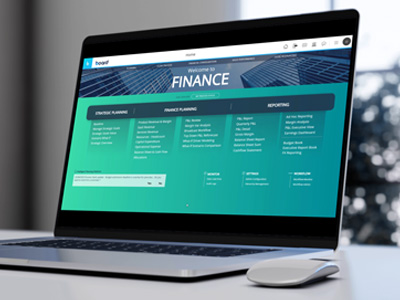
Our FP&A application's home screen gives me access to every part of my
-
financial planning process,
-
from multi-year strategic planning to monthly forecasting and reporting.
-
It also enables me to synchronize financial planning with enterprise-wide
-
operational planning processes to drive better financial outcomes.
-
Strategic planning starts with the definition of a baseline for the financial
-
performance of my business in the coming years.
-
It can be configured without coding to define the desired drivers as well as the
-
time range.
-
Next,
-
we'll create strategic goals and initiatives aligned to the timeframe of the
-
strategic plans. These can be conveniently visualized on a Gantt chart.
-
Board natively supports the creation of multiple scenarios that can be fine
-
tuned and compared with what-if analysis capabilities.
-
This allows me to explore multiple options and assumptions for the strategic
-
plan. Once a scenario has been chosen,
-
I can use it to seed my yearly budget with cascading targets for revenue and
-
profitability.
-
Let's take a look at revenue planning. Board can support multiple models offering
-
flexibility for different industries and types of business. In this example,
-
I can see the 669 million target inherited from strategic planning and the
-
variance. With my current budget,
-
I can use different drivers to precede my budget. For example,
-
previous year default percentage growth, as well as predictive models.
-
Using the quick layout mode, I can also change the view of my budget.
-
For example, I might want to move from a regional view to a product view.
-
Now,
-
let's leverage the latest AI and ML algorithms to generate a predictive plan for
-
a demand volume that is based on historical data as well as external drivers.
-
That might impact my budget, like promotion, weather forecasts,
-
or holiday calendars.
-
Once I'm happy with the budget of demand,
-
I can complete the revenue plan by fine tuning the profitability of my product
-
families, modeling the cost of goods sold with a standard costing approach.
-
The entire planning process is governed by an approval workflow.
-
As a sales manager, I can submit my revenue plan for approval.
-
As an approver, I can easily approve, reject,
-
and even comment to request specific revisions.
-
The submission status of a budget or a forecast can be monitored in real time.
-
From the workflow monitor, it covers all the main FP&A areas,
-
from revenue planning to headcount planning,
-
OpEx capital planning and allocation.
-
When it comes to revenue planning,
-
I can clearly see three sales managers' plans have been submitted for approval.
-
One has been approved, one has been rejected,
-
while the third one is still pending approval. Next up,
-
let's do some OpEx Planning. Board allows me to quickly initiate my OpEx budget
-
by using different drivers.
-
The budget baseline for each department can be reviewed at a glance in the main
-
view. Specific accounts can be locked for data entry,
-
and this means their budget is estimated through a driver-based approach.
-
Telephone costs, for example,
-
are estimated at standard cost per FTE multiplied by the monthly FTE,
-
similarly to what we have seen for revenue planning.
-
OpEx budget is also subject to a review and approval process.
-
This screen allows budget owners to submit the OpEx budget for specific
-
departments. Approvers can then field those requests, add comments,
-
and even attachments.
-
After going through some of the main income statement areas,
-
it's now time to look at the creation of a balance sheet statement.
-
In this screen,
-
I can control my main balance sheet drivers and formulate assumptions around
-
available cash,
-
ROI, and payment terms to simulate different types of financial impacts.
-
In this example,
-
we are simulating a longer account receivables collection over the first period
-
of the budget.
-
The impacts of these changes are visible in real time in my full balance sheet
-
and cash cashflow statement.
-
Finally,
-
let's look at re-forecasting and how we can rapidly generate rolling forecasts
-
and scenario plans. In this screen,
-
I can seamlessly manage multiple versions of my forecast and seed them using my
-
budget or previous forecast version to instantly establish a baseline.
-
I can then make assumptions and change accounts to model my forecast.
-
I can also create multiple scenarios for each version of my forecast to stress
-
test operational and financial drivers, modeling their impacts in real time.
-
In this instance, I'm simulating an additional scenario for my forecast
-
with increased DSO and reduced APO.
-
This immediately recalculates my income statement, balance sheet, and cash flow.
-
Comparing the new scenario against my baseline,
-
I can definitely see tangible impacts on profitability and liquidity.
-
Now that's Intelligent Financial Planning. Only from Board.
-
Learn more www.board.com and request your personalized
-
FP&A demo today.