View Full Video Script
6:24 min
View Full Video Script
-
Los cambios ocurren más rápido que nunca.
-
No es de extrañar que los responsables de los equipos financieros se encuentren en una situación cada vez más difícil-
-
aumentando la responsabilidad,
-
presionados para generar más valor y eficacia en un entorno empresarial en el que
-
hay mucho en juego.
-
Los responsables de planificación y análisis financieros desempeñan un papel crucial en la determinación
-
de impulsar la salud financiera y la resiliencia mediante la ejecución, presupuestación, forecasting,
-
y análisis para tomar decisiones empresariales más rápidas e inteligentes.
-
A pesar del aumento de las expectativas,
-
muchos equipos de FP&A siguen confiando en herramientas obsoletas y procesos manuales,
-
pasando más tiempo en hojas de cálculo y menos decisiones proactivas
-
de planificación.
-
Hay una forma mejor, presentando la Intelligent Financial Planning sólo de Board.
-
En esta demo,
-
te mostraremos cómo los líderes de FP&A de hoy
-
su negocio para conseguir agilidad, eficiencia y crecimiento sostenible. ¡Empezamos!
-
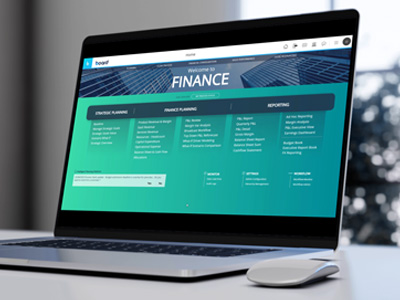
La pantalla de inicio de nuestra aplicación FP&A me permite acceder a todas las partes de mi
-
proceso de planificación financiera,
-
desde la planificación estratégica plurianual hasta las previsiones e informes mensuales.
-
También me permite sincronizar la planificación financiera con los procesos de planificación
-
operativa de toda la empresa para obtener mejores resultados financieros.
-
La planificación estratégica comienza con la definición de una línea de base
-
para los resultados financieros de mi empresa en los próximos años.
-
Puede configurarse sin codificación para definir los controladores deseados,
-
así como el intervalo de tiempo.
-
A continuación, con el calendario de los planes estratégicos.
-
crearemos objetivos estratégicos e iniciativas alineadascon el calendario
-
de los planes estratégicos. Pueden visualizarse cómodamente en un diagrama de Gantt.
-
Board admite de forma nativa la creación de múltiples escenarios que pueden
-
ajustarse y compararse con capacidades de análisis what-if.
-
Esto me permite explorar múltiples opciones y supuestos para el plan estratégico.
-
plan estratégico. Una vez elegido un escenario,
-
Puedo utilizarlo para sembrar mi presupuesto anual con objetivos en cascada de ingresos y
-
rentabilidad.
-
Echemos un vistazo a la planificación de ingresos. Board puede soportar múltiples modelos que ofrecen flexibilidad para diferentes industrias y tipos de negocio.
-
flexibilidad para diferentes industrias y tipos de negocio.En este ejemplo,
-
Puedo ver el objetivo de 669 millones heredado de la planificación estratégica y la desviación.
-
y la desviación. Con mi presupuesto actual,
-
Puedo utilizar distintos controladores para preceder mi presupuesto. Por ejemplo,
-
el crecimiento porcentual por defecto del año anterior, así como modelos predictivos.
-
Utilizando el modo de diseño rápido, también puedo cambiar la vista de mi presupuesto.
-
Por ejemplo, podría querer pasar de una vista regional a una vista de productos.
-
Ahora,
-
aprovechemos los últimos algoritmos de IA y ML para generar un plan predictivo para
-
un volumen de demanda que se base en datos históricos, así como en impulsores externos.
-
Eso podría afectar a mi presupuesto, como la promoción, las previsiones meteorológicas,
-
o calendarios de vacaciones.
-
Una vez que esté contento con el presupuesto de la demanda,
-
Puedo completar el plan de ingresos ajustando la rentabilidad de mis familias de
-
productos, modelando el coste de las mercancías vendidas con un enfoque de cálculo de costes estándar.
-
Todo el proceso de planificación se rige por un flujo de trabajo de aprobación.
-
Como jefe de ventas, puedo presentar mi plan de ingresos para su aprobación.
-
Como aprobador, puedo aprobar o rechazar fácilmente,
-
e incluso comentar para solicitar revisiones específicas.
-
El estado de presentación de un presupuesto o una previsión puede supervisarse en tiempo real.
-
Desde el monitor de flujo de trabajo, cubre todas las áreas principales de FP&A,
-
desde la planificación de los ingresos hasta la de los efectivos,
-
Planificación y asignación del capital OpEx.
-
Cuando se trata de planificar los ingresos,
-
Veo claramente que se han presentado los planes de tres directores comerciales para su aprobación.
-
Una ha sido aprobada, otra rechazada,
-
mientras que la tercera aún está pendiente de aprobación. A continuación,
-
hagamos un poco de planificación OpEx. Board me permite iniciar rápidamente mi presupuesto OpEx
-
utilizando diferentes controladores.
-
La base presupuestaria de cada departamento puede consultarse de un vistazo en la página principal.
-
Se pueden bloquear cuentas específicas para la introducción de datos,
-
y esto significa que su presupuesto se estima a través de un enfoque basado en el conductor.
-
Los costes telefónicos, por ejemplo,
-
se estiman al coste estándar por FTE multiplicado por el FTE mensual,
-
similar a lo que hemos visto para la planificación de ingresos.
-
El presupuesto OpEx también está sujeto a un proceso de revisión y aprobación.
-
Esta pantalla permite a los propietarios del presupuesto presentar el presupuesto OpEx para departamentos específicos.
-
A continuación, los aprobadores pueden responder a esas solicitudes, añadir comentarios,
-
e incluso archivos adjuntos.
-
Después de repasar algunas de las principales áreas de la cuenta de resultados,
-
es el momento de ver la creación de un estado del balance.
-
En esta pantalla,
-
Puedo controlar los principales motores de mi balance y formular hipótesis
-
en torno al efectivo disponible,
-
ROI y condiciones de pago para simular diferentes tipos de impactos financieros.
-
En este ejemplo,
-
estamos simulando un cobro más largo de las cuentas por cobrar durante el primer período
-
del presupuesto.
-
Los efectos de estos cambios son visibles en tiempo real en mi balance completo
-
y mi estado de tesorería.
-
Finalmente,
-
veamos la reprevisión y cómo podemos generar rápidamente previsiones continuas
-
y planes de escenarios. En esta pantalla,
-
Puedo gestionar sin problemas varias versiones de mi previsión y sembrarlas utilizando mi
-
presupuesto o la versión anterior de forecast para establecer al instante una línea de base.
-
A continuación, puedo hacer suposiciones y modificar las cuentas para modelar mi forecast.
-
También puedo crear múltiples escenarios para cada versión de mi forecast
-
con el fin de someter a pruebas de estrés los factores operativos y financieros, modelando el impacto en tiempo real.
-
En este caso, estoy simulando un escenario adicional para mi forecast
-
incrementando el DSO(Periodo Medio de Pago) y reduciendo el APO (Oferta Pública Alternativa).
-
Esto recalcula inmediatamente mi cuenta de resultados, mi balance y mi flujo de caja.
-
Comparando el nuevo escenario con mi línea de base,
-
definitavemente puedo ver los efectos tangibles en la rentabilidad y la liquidez.
-
Esto es Intelligent Financial Planning. Solo de Board.
-
Descubre más en www.board.com/es y solicita tu demo
-
personalizada de FP&A hoy mismo.